Why Choose Cat6 HDMI Extender for Your Long Distance Needs?
In today’s digital age, maintaining high-quality video and audio signals over long distances is crucial. The Cat6 Hdmi Extender stands out as an effective solution for this challenge. With capabilities that surpass traditional HDMI cables, it ensures pristine signal transmission for distances that were once thought impossible.
Opting for a Cat6 HDMI Extender means embracing advanced technology designed for both reliability and performance. Users can expect seamless streaming and crystal-clear visuals, even at extended ranges. However, not all installations go smoothly. Factors such as cable quality and environmental interference can impact performance.
Many professionals advocate for the Cat6 HDMI Extender due to its ability to cater to various applications, from home theaters to professional settings. This versatility positions it as a favorite among tech enthusiasts and industry experts alike. While user experiences can vary, the benefits of this powerful tool are undeniable. Embrace the potential of Cat6 HDMI Extender for your long-distance needs and enhance your audiovisual experience significantly.
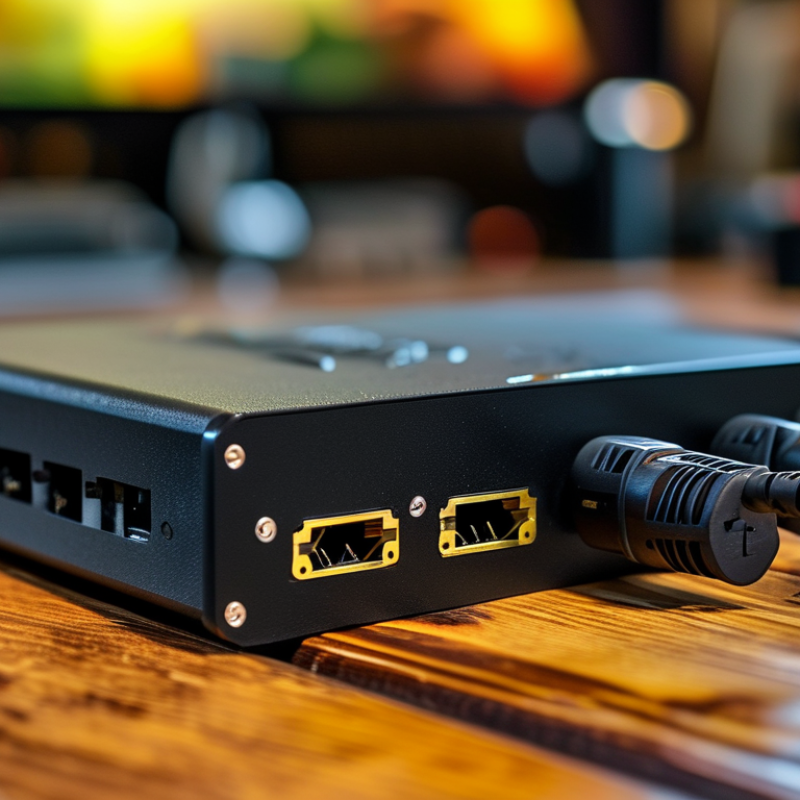
Benefits of Using Cat6 HDMI Extenders for Long Distances
Cat6 HDMI extenders provide a reliable solution for transmitting high-definition video and audio over long distances. These extenders utilize Cat6 cables, which can reach lengths of up to 100 meters. This capability is especially beneficial in large venues, such as auditoriums or conference halls, where equipment may be placed far from displays.
Using Cat6 HDMI extenders offers multiple advantages. First, they maintain high-quality signal transmission over long distances. This ensures that picture and sound remain clear, without degradation. Second, Cat6 cables are cost-effective and easier to manage compared to traditional HDMI cables. They are thinner, flexible, and can be routed through tight spaces, making installations smoother.
Tips: When setting up your Cat6 HDMI extender, ensure you use high-quality cables to maximize performance. Test your setup with different resolutions to identify the best settings for your displays. Remember, the environment can affect signal quality; avoid interference from other electronic devices whenever possible.
Understanding the Technology Behind Cat6 HDMI Extenders
Understanding the technology behind Cat6 HDMI extenders reveals why they are a preferred choice for long-distance video transmission. These extenders leverage the Cat6 Ethernet cable, which offers superior data transfer rates. Operating at speeds up to 10 Gbps, they provide a reliable connection over distances of up to 300 feet. This capability is crucial for setups where high-definition video quality must be maintained without degradation.
The secret lies in the technology used. Cat6 cables feature tighter twists and improved insulation, reducing crosstalk and signal loss. This design allows a clear signal even when the cable runs through challenging environments. However, this does not mean that every installation will be flawless. Some users may encounter interference from nearby electronic devices. Proper cable management and installation techniques become essential for optimal performance.
Despite the advantages, potential limitations remain. For heavy video use, consider the quality of both cables and connectors. Not all Cat6 cables perform equally under stress. Testing cable lengths and configurations before finalizing a setup can save time and money in the long run. A suitable choice often involves balancing performance needs with specific application requirements.
Comparing Cat6 HDMI Extenders with Other Solutions
When considering long-distance HDMI solutions, Cat6 HDMI extenders stand out for their unique advantages. Unlike traditional HDMI cables that are limited by distance, a Cat6 HDMI extender uses network cabling to transmit signals over much longer distances without significant loss of quality. This is particularly beneficial in commercial settings where long runs between devices are common. The flexibility of Cat6 cabling, combined with its ability to handle high-bandwidth signals, makes it an ideal choice for modern AV setups.
Other solutions, such as fiber-optic HDMI extenders, can also be effective but might come with higher costs and installation complexity. Fiber optics can transmit signals over even greater distances, but they are often less practical for everyday users due to the need for specialized equipment. Alternatively, standard HDMI repeaters can extend signals but usually fall short beyond 50 feet, and often compromise on quality. While these methods have their use cases, they may not offer the same reliability as a Cat6 solution, especially in environments with potential electromagnetic interference.
It's essential to weigh the pros and cons of each method. Some may find that the investment in a Cat6 extender is justified by its performance and reliability. Others might struggle with its installation or have existing cabling that doesn't meet the required standards. In any case, making the right choice hinges on understanding specific needs and the environment in which the technology will be used.
Installation Tips for Cat6 HDMI Extenders
When it comes to installing a Cat6 HDMI extender, attention to detail is crucial. Cat6 extenders use Ethernet cables to transmit high-definition video signals over long distances, often exceeding 150 feet. According to the HDMI Forum, signal quality can degrade significantly if not installed properly, potentially leading to interruptions in video playback.
One critical tip is to ensure your cables are cat6 compliant. Using lower-quality cables can impact performance. A recent report from TechTarget indicates that improper cabling can reduce signal integrity. Look for cables with solid copper conductors. They offer better performance than those made with copper-clad aluminum.
Proper termination of the cables is equally vital. Incorrect termination can result in crosstalk or signal loss. Take time to use a reliable Ethernet crimper and follow standard wiring patterns closely. Testing the cables with a network cable tester before installation is a wise step. This helps to identify potential issues early in the installation process.
Installers should also consider the environment. Extreme temperatures can affect performance. Ensure that the installation area is suitable to maintain optimum video quality over long distances.
Common Applications of Cat6 HDMI Extenders in Various Settings
In today’s digital world, Cat6 HDMI extenders find applications in diverse environments. One common use is in commercial settings. Retail shops can display high-definition video content from a distance, enhancing customer engagement. These extenders allow for long cable runs without losing quality, making them ideal for large spaces. Imagine a vibrant display of fashion or technology—this requires reliable and sharp video output.
Another notable application is in home theaters. For those who crave the movie experience, a Cat6 HDMI extender can ensure high-definition signals reach large-screen TVs located far from the source. It simplifies setup and reduces clutter while maintaining excellent audio-visual quality. However, users sometimes overlook the specific cable requirements. Not all cable types support the same distances or resolutions. Testing and adjusting setups might be necessary to achieve optimal performance.
Education settings also benefit from these extenders. Classrooms and lecture halls equipped with projectors can connect devices seamlessly. This aids in presentations and interactive learning. Yet, educators may find themselves troubleshooting connectivity issues at times. Challenges can arise from varying distances or cable quality, requiring careful attention to detail in installation. Each setting presents unique demands for Cat6 HDMI extenders, encouraging users to reflect on their specific needs for seamless performance.