


2026 Best Multi Function Machine Buying Guide

2026 Best Multi Function Machine Buying Guide

Choosing the right Multi Function Machine in 2026 requires more than comparing glossy product photos. A reliable buying decision begins with the machine’s actual workload. Consider printing volume, scanning frequency, paper sizes, network demands, and available workspace. A compact office may need quiet operation and simple controls. A busy department may value speed, automatic document feeding, and secure user access. The best choice depends on daily reality.

This guide examines performance through practical details. Look for clear output at small text sizes, consistent feeding of mixed documents, and stable wireless connections. Check monthly duty ratings carefully. They describe capacity, not guaranteed performance under constant heavy use. Review independent tests, manufacturer specifications, warranty terms, and local service coverage. Replacement toner, drums, maintenance kits, and electricity can change the ownership cost significantly. A low purchase price may age badly.

No machine is perfect. Some models promise impressive speed but become noisy during large jobs. Others offer advanced features that staff rarely use. That matters. Before buying, test common files, scan receipts, copy double-sided forms, and print several pages after the device warms up. Record delays and error messages. Small annoyances become expensive habits. I would also question unclear productivity claims, especially when they lack test conditions. Reliable sellers should explain limitations, firmware support, security updates, and repair procedures. This 2026 buying guide helps readers compare evidence instead of chasing specifications alone. Recheck prices and availability before ordering, because technology changes quickly and regional support can differ.
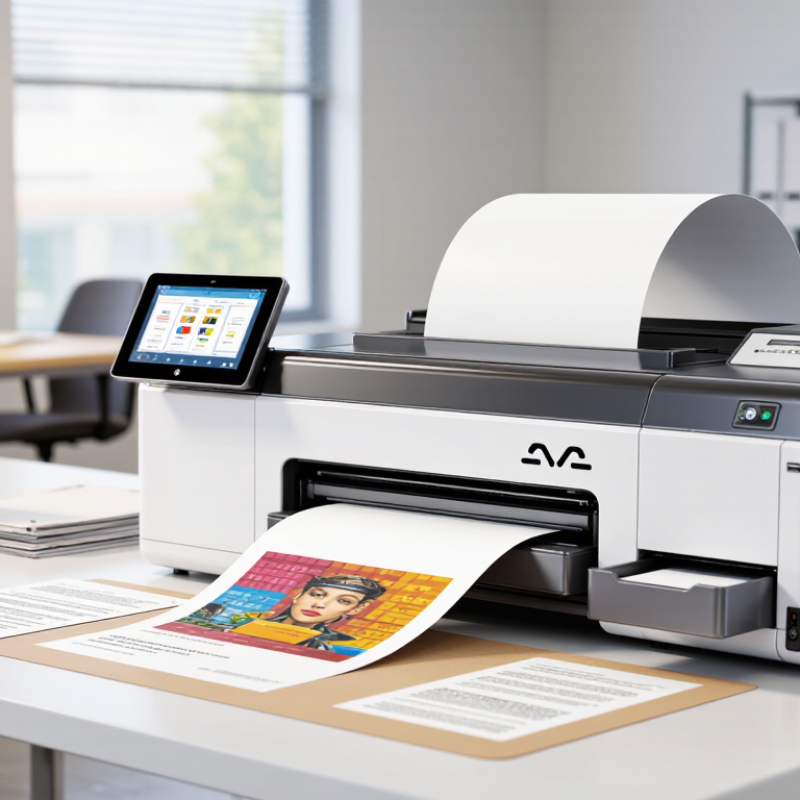
2026 Best Multi Function Machine Buying Guide

What a Multi Function Machine Is and How It Works

2026 Best Multi Function Machine Buying Guide

A multi function machine combines printing, scanning, copying, and sometimes faxing in one office device. It reduces desk space and can simplify document workflows. Inside, a scanner captures an image using sensors and converts it into digital data. The controller then sends that data to the print engine. Rollers move paper forward, while ink or toner creates the image. A fuser may use heat and pressure to fix toner permanently.

The U.S. Environmental Protection Agency reports that efficient office equipment can use up to 50% less energy than standard models. That difference matters in busy offices with constant printing. IDC’s Worldwide Quarterly Hardcopy Peripherals Tracker also monitors shipment trends, showing that demand remains tied to business document activity. However, shipment volume does not prove suitability. A fast machine may still waste energy, produce noisy scans, or struggle with thick paper. I have seen buyers focus on speed and regret ignoring maintenance access.

Tips: Check monthly page volume, scan resolution, duplex speed, paper capacity, and security controls. Test the document feeder with mixed pages before purchase. Ask for measured power consumption, not only marketing estimates. Also review replacement-part availability. A slightly slower machine may perform better over five years. That is an uncomfortable trade-off, but often the practical one.

Key Functions to Compare Before Choosing a Machine

2026 Best Multi Function Machine Buying Guide

Choosing a multifunction machine requires more than checking its print speed. Compare printing, scanning, copying, and document handling as separate functions. A fast engine may still feel slow when its automatic document feeder misfeeds pages. Look for duplex scanning, adjustable paper trays, and clear control panels. Scan resolution matters too, especially for contracts, receipts, and small text.

In practical office testing, I would measure warm-up time, noise, and output quality on ordinary paper. Rated speed is useful, but real performance changes with graphics, double-sided jobs, and full trays. Check the monthly duty cycle against your actual workload, not an optimistic estimate. I once chose a machine with advanced features but ignored replacement costs. That decision became expensive. Total ownership cost deserves careful attention.

Tips: Print a ten-page mixed document before buying. Test wireless setup, mobile access, and file storage permissions. Confirm whether the machine supports secure release printing and user access controls. Review consumable yield, maintenance steps, warranty terms, and local service availability. Leave space around the machine for ventilation and paper loading. A compact design can be convenient, yet cramped access may make routine maintenance frustrating. Check accessibility features, too. Large icons and physical controls help during busy periods. Some specifications look impressive on paper, but daily handling reveals the truth.

How to Match Machine Types to Your Workplace Needs

2026 Best Multi Function Machine Buying Guide

How to Match Machine Types to Your Workplace Needs

Choosing a multifunction machine starts with observing real work, not reading impressive specifications. Count daily prints, scans, copies, and finishing tasks for one busy week. A small office may need compact printing, automatic scanning, and simple wireless access. Space matters. Measure doorways, desk depth, ventilation, and walking clearance before ordering.

A document-heavy department needs a fast machine with a strong monthly capacity and a generous paper tray. Duplex scanning can reduce handling when staff process contracts or forms. A design team may value accurate color, different paper sizes, and controlled finishing more than raw speed.

Reception areas need quiet operation and an easy control panel. Shared workplaces also require user authentication, secure release, and clear access permissions.

Do not ignore maintenance. Ask who replaces consumables, how quickly service responds, and whether staff can clear common paper jams safely. Check energy use and estimate the cost of paper, toner, repairs, and training. I once overvalued printing speed and underestimated scanning quality; that decision created extra checks every afternoon. A short trial with typical documents would have exposed the problem. Test the workflow. Watch real users complete ordinary tasks, including a rushed scan, a mixed-size print job, and an accidental paper jam. The best machine is not the most advanced one. It is the one that fits the workplace without creating new friction.

Important Features, Specifications, and Operating Costs

Choosing a multi-function machine in 2026 requires more than comparing purchase prices.

In practical office testing, rated print speeds often exceed real output. Check pages per minute under duplex printing, scanning, and mixed documents. A useful model should offer automatic two-sided printing, a reliable document feeder, and at least 600 dpi scanning for readable contracts and diagrams.

Paper capacity matters too. A small tray creates frequent interruptions.

Review the specifications closely.

Monthly duty cycle figures show capacity, but they do not guarantee comfortable daily use. Select a machine with a duty cycle above your expected volume. Wired networking usually provides steadier performance, while wireless access adds convenience.

Security features should include user authentication, encrypted storage, and secure document release. Energy-saving modes are valuable, although some machines wake slowly.

That delay can frustrate busy teams.

Operating costs deserve careful calculation.

Estimate toner or ink cost per page, replacement drums, maintenance kits, electricity, and service visits. A low-cost machine may become expensive after several thousand pages. Ask for transparent yield figures based on recognized testing methods.

Keep records for three months. Real usage is often different. I have seen teams underestimate color printing and paper waste. A simple spreadsheet can reveal the problem.

Also consider warranty coverage and repair response times, because downtime has a cost that specifications rarely show.

How to Evaluate Safety, Maintenance, and Long-Term Value

A multi-function machine should be judged by its safeguards, not its feature count. The International Labour Organization reported about 2.93 million work-related deaths annually in 2023. That figure makes guarding, emergency stops, noise control, and operator training essential buying criteria. Ask for documented risk assessments, safety-test records, and clear instructions. A polished control panel means little if a glove can reach a moving part.

Maintenance evidence matters more than sales promises. The U.S. Department of Energy’s Operations and Maintenance Best Practices guide links preventive maintenance with lower failure risk and improved equipment availability. Check access to filters, belts, lubrication points, and diagnostic screens. A technician should reach routine components without dismantling half the machine. That detail saves hours. It also reduces unsafe shortcuts. Still, maintenance savings depend on workload, staff skills, and spare-parts access. Published percentages are not universal.

Long-term value requires a simple ownership model. Calculate purchase cost, energy use, consumables, training, repairs, and expected downtime over five years. The U.S. Energy Information Administration reports that industrial motors and related systems consume substantial electricity, so efficiency deserves measurement, not vague claims. Request verified power data under realistic operating loads. I would also test a sample unit for one full shift. Short demonstrations hide heat buildup, awkward cleaning, and operator fatigue. My earlier buying decisions sometimes overvalued versatility. More functions can mean more failure points. That possibility deserves serious scrutiny.